
A HikaShop payment plugin connects your store to a payment provider: it sends the order amount, takes the customer to the payment step and updates the order once the provider confirms the payment. HikaShop ships with offline methods, PayPal Checkout and a set of card gateways, and its official marketplace adds plugins for many other providers. The right choice starts with where your customers live and how they like to pay.
We write from the developer’s side of the checkout: Tsuki Dev is an official HikaShop partner and has written more than ten payment gateways for HikaShop, most of them sold on its marketplace. Everything below about HikaShop and the payment providers was checked on their official sites in November 2026.
How payments work in HikaShop
In HikaShop, every payment method is a plugin. You add one from the HikaShop menu System > Payment methods with the New button, then set its restrictions and access level. A plugin bought on the marketplace is added exactly like a method shipped with HikaShop, as the HikaShop documentation on marketplace plugins explains.
Methods come from two places:
- Shipped with HikaShop: bank transfer, check and collect on delivery come in the box, along with PayPal Checkout (built in since HikaShop 4.6.2) and a set of card gateways listed in the documentation.
- Added from the marketplace: one plugin per provider or per country, for local banks, wallets, buy now, pay later services and more. In total, HikaShop says it connects to more than 60 payment gateways.
PayPal Checkout is the method HikaShop recommends for PayPal. Depending on your account and your customer’s country, it can display the PayPal button, Pay Later, Venmo, card payments, Google Pay, Apple Pay and local methods such as iDEAL or Bancontact, and its settings show the country and currency limits of each one.
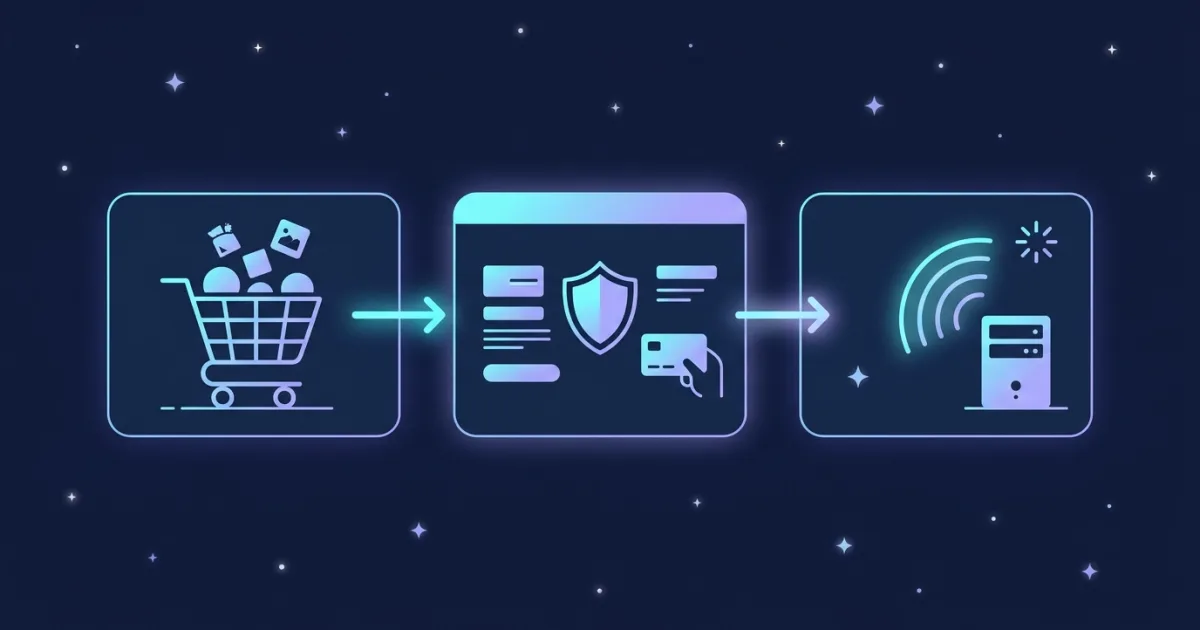
Whatever the provider, the mechanics are the same. With the redirect and hosted-field plugins used today, the customer pays on a page or in fields served by the provider, so the card data does not pass through your store: as HikaShop’s payment overview puts it, the store records the order and the gateway’s reference, not the card. The provider then confirms the payment to your store with a server notification (often called a webhook), and the plugin moves the order to the right status, which triggers the right emails.
Choosing a gateway by country
Start from your customers rather than from a provider’s brochure. Cards are the usual baseline, but many countries also have a local method of their own, such as TWINT in Switzerland, iDEAL in the Netherlands, Bancontact in Belgium or Vipps in Norway. The table maps regions to providers that have a HikaShop plugin, with links to the plugins listed on the marketplace today.
| Where your customers are | Provider and payment methods | HikaShop plugin |
|---|---|---|
| United States, Canada, United Kingdom, Ireland, Australia, Japan, France, Spain | Square: card payments on Square’s hosted checkout | Square, by Tsuki Dev |
| Switzerland | PostFinance Checkout, from the Swiss provider PostFinance: TWINT, cards and PostFinance’s own methods | PostFinance Checkout, by Tsuki Dev |
| Netherlands, Belgium and other European countries | MultiSafePay: iDEAL, Bancontact, cards, bank transfer, Klarna and many other methods | MultiSafePay, by Tsuki Dev |
| Norway | Vipps: payment in the Vipps mobile app | Vipps, by Tsuki Dev |
| Australia | Zip: Zip Pay (interest-free buy now, pay later) and Zip Money (a line of credit) | Zip Pay & Zip Money, by Tsuki Dev |
| Hong Kong and Asia, Thailand, the Philippines | The AsiaPay gateways: PayDollar, SiamPay (Thailand) and PesoPay (Philippines) | PayDollar, SiamPay and PesoPay, by Tsuki Dev |
| Nigeria | Remita, the Nigerian payment platform | Remita, by Tsuki Dev |
| Worldwide | PayPal Checkout: PayPal, cards, Pay Later and local methods, depending on the country | Included in HikaShop |
| Any country, offline | Bank transfer, check, collect on delivery | Included in HikaShop |
Look at the merchant side too: a provider decides which countries it accepts businesses from, not only which customers can pay. And if your provider is not in the table, search the marketplace first. It lists plugins for Stripe, Mollie, Adyen, Razorpay, Paystack, Xendit and many other providers.
Need a gateway HikaShop doesn’t offer yet?
The gateways we built for HikaShop
Over the years, we have written more than ten payment gateways for HikaShop: the plugins linked in the table above, which you can find on its official marketplace, plus PayPal Plus and PayWay Sinergia IGFS. Tsuki Dev is listed on the HikaShop partners page, and Hikari Software, the publisher of HikaShop, has been our client for several years: read about our work for Hikari Software.
Building these plugins taught us where payment integrations really fail, and it is rarely the payment page itself:
- Statuses: each provider has its own vocabulary (authorized, captured, settled, expired), and each state must land on the right HikaShop order status.
- Notifications: some providers need setup on their side. With PostFinance Checkout, for example, you create a webhook URL and a listener in your PostFinance merchant space so that payment notifications reach your store.
- API changes: providers retire old integrations. Our Square plugin moved from Square’s Web Payments SDK to its Checkout API, and its marketplace page asks older users to switch.
- Server requirements: most of our plugin pages list a minimum PHP version, HTTPS and the curl, json and openssl extensions. If one is missing on your server, the plugin cannot talk to the provider.
One habit we recommend for any plugin, ours included: read the requirements and the last update date on the marketplace page before you buy. An older plugin may still work perfectly; simply ask its developer which PHP and Joomla versions it supports.
What to check before you choose
Two providers can look alike on paper and behave very differently once orders come in. Go through these points with each candidate:
| Point to check | Why it matters | Where to look |
|---|---|---|
| Countries | The provider must accept your business and your customers. Square, for example, processes cards only in the US, Canada, Australia, Japan, the United Kingdom, Ireland, France and Spain. | Square’s help center, or your provider’s |
| Payment methods | Cards alone may not be enough where a local method is common | Plugin page and provider’s site |
| Currencies | The provider must accept the currencies you charge in, and currencies without decimals, such as the Japanese yen, need careful rounding | Provider’s documentation, HikaShop currency settings |
| Fees | Transaction and monthly fees vary by provider and by plan, and they change | Provider’s official pricing page |
| Refunds | Refunding from the HikaShop order screen saves time; otherwise you refund in the provider’s dashboard | Plugin documentation |
| Notifications | The order must update even if the customer closes the tab after paying | Plugin documentation (webhook setup) |
| Maintenance | Minimum PHP version, HTTPS, date of the last update | Marketplace page |
Selling in Europe adds strong customer authentication to the list. The EU’s revised Payment Services Directive requires it when the payer initiates an electronic payment (Directive (EU) 2015/2366, article 97). For a card payment, it often means an extra check such as 3-D Secure. The provider runs that check, and HikaShop supports these flows where the gateway provides them. The plugin’s job is to hand over cleanly and handle every outcome, including a customer who gives up halfway.
Local methods follow the same logic. PostFinance, which presents itself as a Swiss payment provider, combines TWINT, Visa, Mastercard and PostFinance Pay in its checkout offer for online shops, so a single provider account can cover several methods at once. Ask the same question of every candidate: which methods does one contract include, and which ones does the plugin actually support?
Why payment plugins break
A payment plugin is judged on its bad days. When payments go wrong on a HikaShop store, the cause is usually one of these:
- Notifications that never arrive. The webhook URL is missing or outdated in the provider’s dashboard, the site sits behind a maintenance page or a password, or a security extension blocks the provider’s server. The customer has paid, yet the order stays unpaid in HikaShop.
- Trusting the customer’s return. A plugin that marks an order as paid when the customer comes back to the store, instead of waiting for the provider’s notification, leaves paid orders unconfirmed whenever a customer closes the tab.
- The same notification processed twice. Providers may send a notification more than once. Without a check, stock and emails are updated twice.
- An integration the provider retired. Providers deprecate old APIs and SDKs, and a plugin built on them works until the day it stops.
- A server or platform update. Your host moves to a newer PHP version, or you upgrade Joomla, and a plugin written years ago fails on code the new version no longer accepts. If your store still runs Joomla 3, our guide to migrating a HikaShop store from Joomla 3 covers payments step by step.
- Careless amounts. Rounding errors on taxes and discounts, or a currency without decimals, make the amount sent differ from the amount expected, and the payment fails or the totals no longer match.
The fix starts with the logs: the provider’s dashboard shows whether it sent the notification and what your store answered, and a well-written plugin logs what it received. A failed payment should be explained, not guessed.
Payments failing on your HikaShop store?
When a custom gateway makes sense
Buying a maintained plugin costs less than building one, so check the marketplace first. A custom plugin makes sense in four situations:
- your bank or a regional provider offers an online payment API but no HikaShop plugin;
- the existing plugin is no longer maintained, or fails on your PHP or Joomla version;
- you need a flow the available plugins do not cover, such as deposits, partial captures or refunds from the back office;
- you are a payment provider, and merchants ask whether you support HikaShop.
The method barely changes from one provider to the next. We read the provider’s API documentation with you and write down every flow. You receive an itemized quote within 48 hours, free and without commitment. We build on a staging store and test each case in the provider’s sandbox: success, decline, cancellation, refund. Then a first real payment checks the whole chain before the code and its documentation are handed over to you. The details are on our payment gateway integration page, and our HikaShop development services cover the rest of the store: checkout, emails, integrations and upgrades.
Frequently asked questions about HikaShop payment plugins
Which payment methods come with HikaShop?
Bank transfer, check and collect on delivery are included, along with PayPal Checkout, built into HikaShop since version 4.6.2, and a set of card gateways listed in the official documentation. Other providers are covered by plugins from the HikaShop marketplace, which you add from System > Payment methods like any built-in method.
Can I accept TWINT on a HikaShop store?
Yes, through a provider that offers TWINT. Our PostFinance Checkout plugin, listed on the HikaShop marketplace, redirects customers to PostFinance Checkout, where TWINT sits alongside cards and PostFinance’s own methods. You need a PostFinance Checkout merchant account and a webhook set up in your merchant space, so that payments are confirmed automatically.
Is there a Square plugin for HikaShop?
Yes. Our Square plugin sends customers to Square’s hosted checkout through the Checkout API, and it currently handles card payments. Square processes cards in the US, Canada, Australia, Japan, the United Kingdom, Ireland, France and Spain, and the plugin needs PHP 7.4 or later and HTTPS on your server.
Why do some orders stay unpaid in HikaShop after the customer has paid?
Usually because the provider’s notification did not reach the store, or was not processed. Check the notification log in the provider’s dashboard, the webhook URL set there, and anything that blocks outside requests to your site, such as a maintenance page or a security extension. If all of that is in order, the plugin itself may be outdated for your PHP or HikaShop version.
How much does a custom HikaShop payment plugin cost?
It depends on the provider’s API and on the flows you need: a redirect with notifications is a smaller job than embedded fields, refunds and recurring payments. After a short exchange, you receive a written, itemized quote within 48 hours, free and without commitment, with a firm price once signed. Our pricing page explains what makes a budget vary.